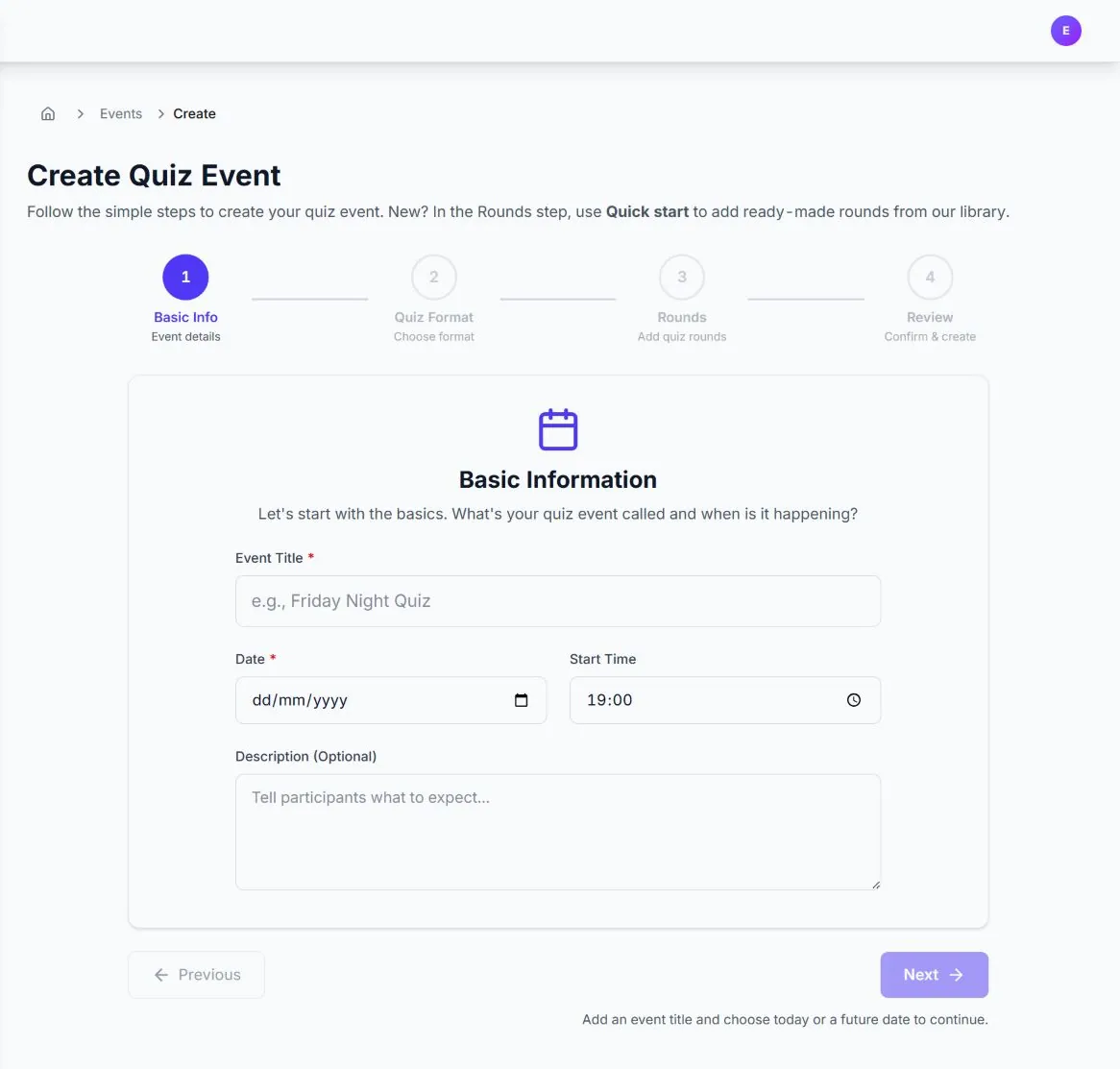
01
Build the event in four clear steps
Set the event details, choose the format, add rounds and review before publishing.

Built for pubs, workplaces & fundraisers
Build the quiz, put the presenter screen on the big screen, and share one join code. Teams play on their phones while Quizora keeps the room moving and the scores live.
5 free events a month · No card required
Here to play? Join with a code
Choose a topic and difficulty for an AI draft, or write your own questions.
Teams join in their browser with your code or QR, then answer on their phones.
Supported answers score automatically. Review free-text answers from your host console.
One code gets every team in
No player app or account
Live scoring for the whole room
Inside Quizora
Build the round, test both sides of the experience, run the room and reveal a leaderboard worth cheering for.
01
Set the event details, choose the format, add rounds and review before publishing.
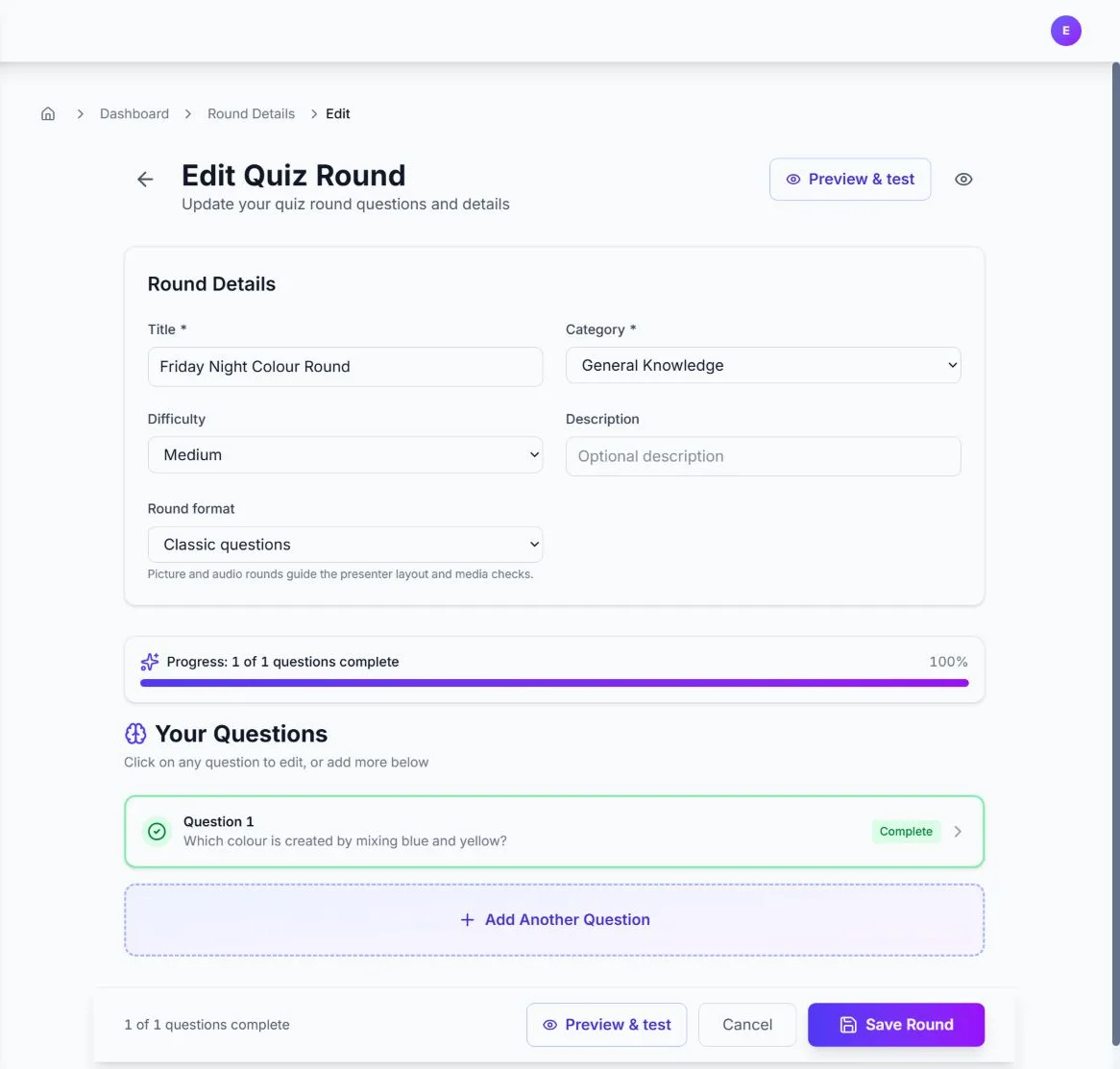
02
Mix eight question types, add explanations, then preview presenter and player views.
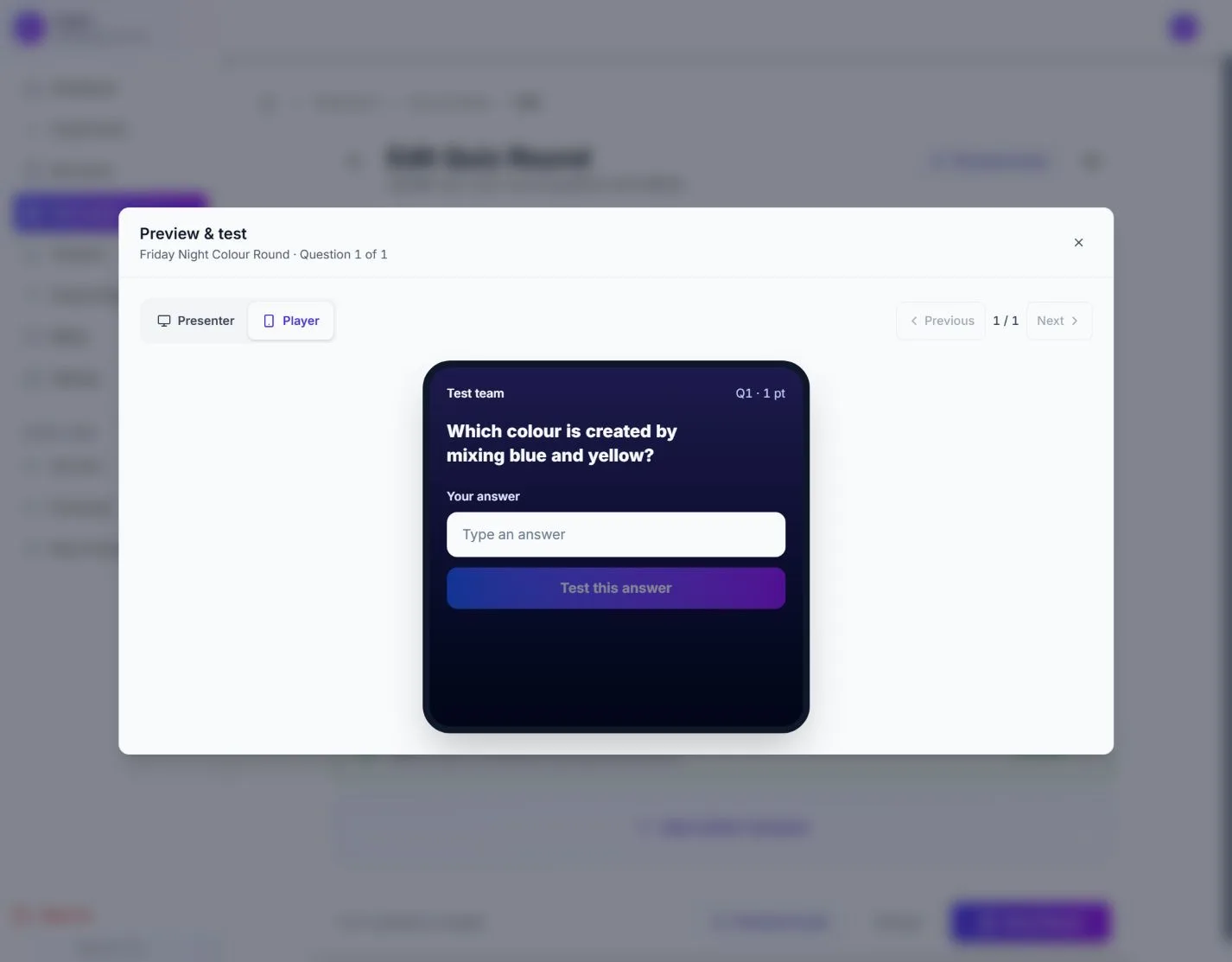
03
Switch to the player perspective and make sure every answer is easy to submit.
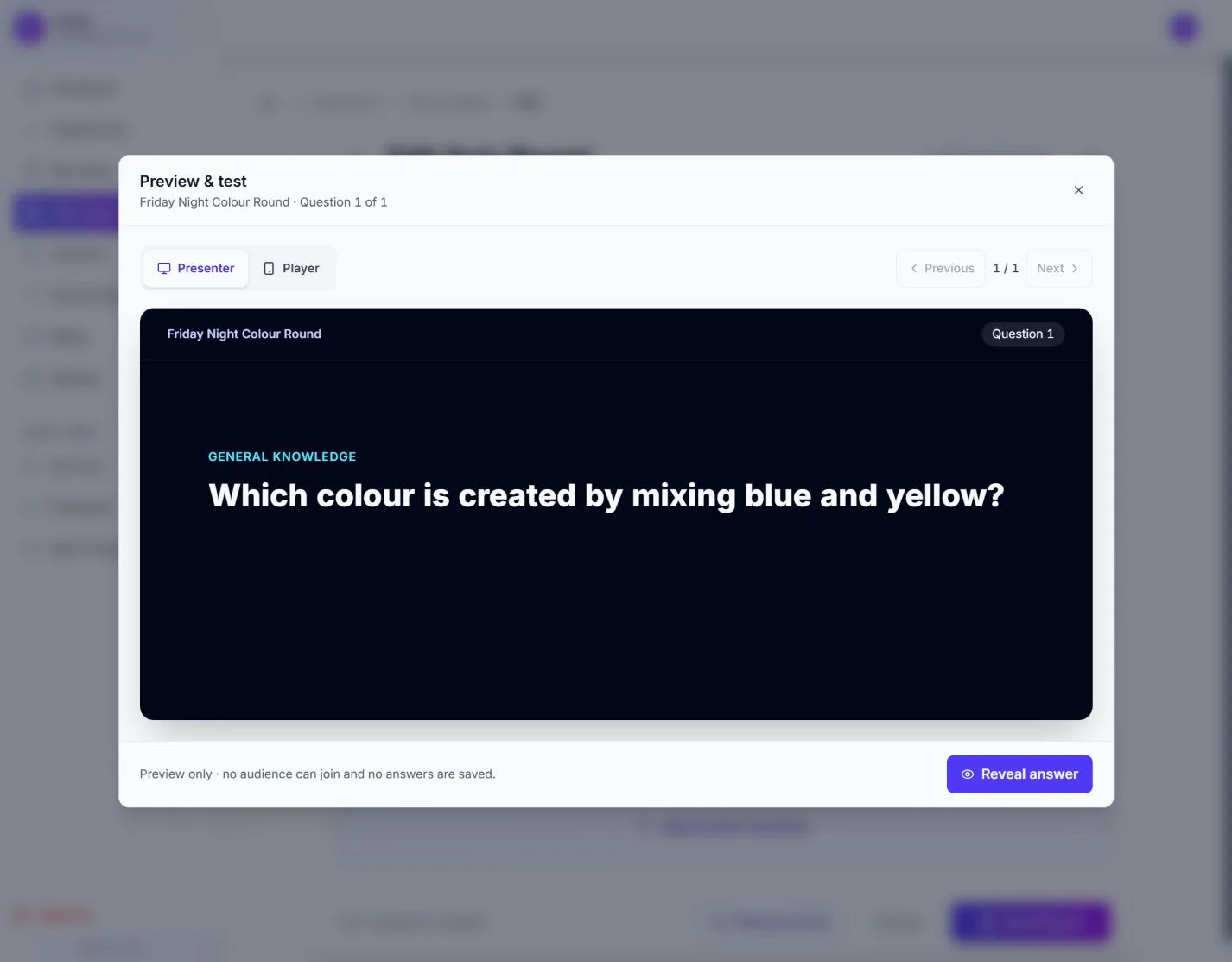
04
Check legibility and pacing before the audience arrives, without saving test answers.
Your first polished quiz night starts free.
Build reusable rounds, test the screens and keep teams playing from one quiz-night workflow.
Choose a theme and difficulty to draft questions. Review the answers and edit the wording to suit your crowd before playing.
Put the code or QR on the big screen. Teams open the quiz in their browser and choose a name, so everyone knows where to begin.
Supported answers score automatically. Mark free-text responses and adjust points in the host console, with totals reflected on the leaderboard.
Run the timer, reveal answers and manage teams from a private host screen. Keep the presenter display focused on the game.
Review event activity, team counts and average scores. Use the results to plan your next quiz night.
Browse public rounds or return to your own library. Duplicate a round and change the questions for a new theme or audience.
From the first join code to the winning reveal, every screen helps the host stay in control and the room stay engaged.
Answer validation and host controls keep the competition friendly without slowing the room down.
Publish ahead of time, start when the room is ready, and use your included reruns if the night needs a reset.
Start free, buy credits for occasional paid events, or choose Pro for unlimited monthly events. Compare team and question limits before choosing.
Prepare and preview your quiz, invite teams, then open the host and presenter screens on the night.
Write questions, generate an AI draft or reuse library rounds. Check the answers and preview the player and presenter views before adding rounds to your event.
Set the date and publish your event to open joining. Share the join code, link or QR with teams so they can play in their browser.
Put the presenter view on the big screen and keep your host console private. Control timing, review answers and reveal the winning team.
Try a real quiz night on the free plan. Buy event credits when you need a larger quiz, or choose Pro for regular hosting.
Free
forever
£2.99
per event
£9.00
per month
Choose Pro from Billing after signup. It is billed monthly when you subscribe. See our Terms of use for the legal agreement. Full plan detail on the pricing page.
Create a free account first. Choose paid hosting from Billing when you need it. Compare every plan detail.
Host 5 events a month with up to 20 questions per quiz and 100 teams per event. Each event includes 2 runs. Create your host account without a card, then build and preview your quiz.
Players open Quizora in their browser and enter your join code, or scan the QR code. They choose a team name and answer on their phones. Only the host needs an account.
Write your own, reuse rounds from the library or generate an AI draft within your plan's usage allowance. Edit and check the answers, then preview the player and presenter screens before going live.
Supported answers score automatically. Free-text answers can need your review in the private host console, where you can mark answers and adjust points. The leaderboard updates as scores are recorded.
Use an internet connection for the host and teams. Test your venue setup before the event. Read the first-quiz guide.
Start with one round. Preview the screens, then invite your teams.
Build my free quiz5 free events a month · No card required