Hosting & Events
Managing a live quiz
A practical run-of-show for the host console, presenter display and player devices.
8 min read
Checked 7 September 2026
Before you admit players
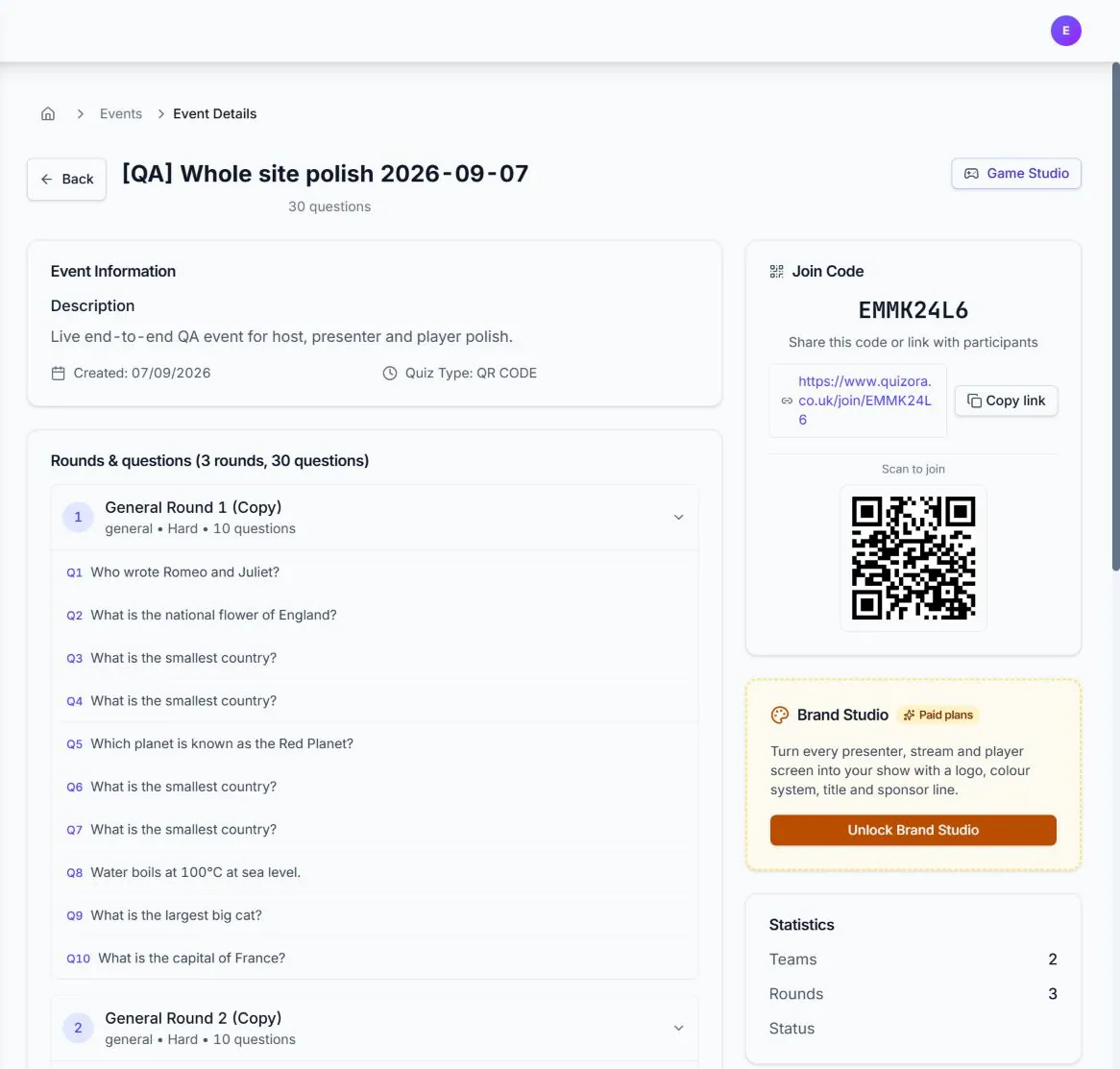
- Open the event and confirm its rounds and order.
- Open the host console on the private control device.
- Open Standard, TV or Short-form Presenter View on the display or streaming device.
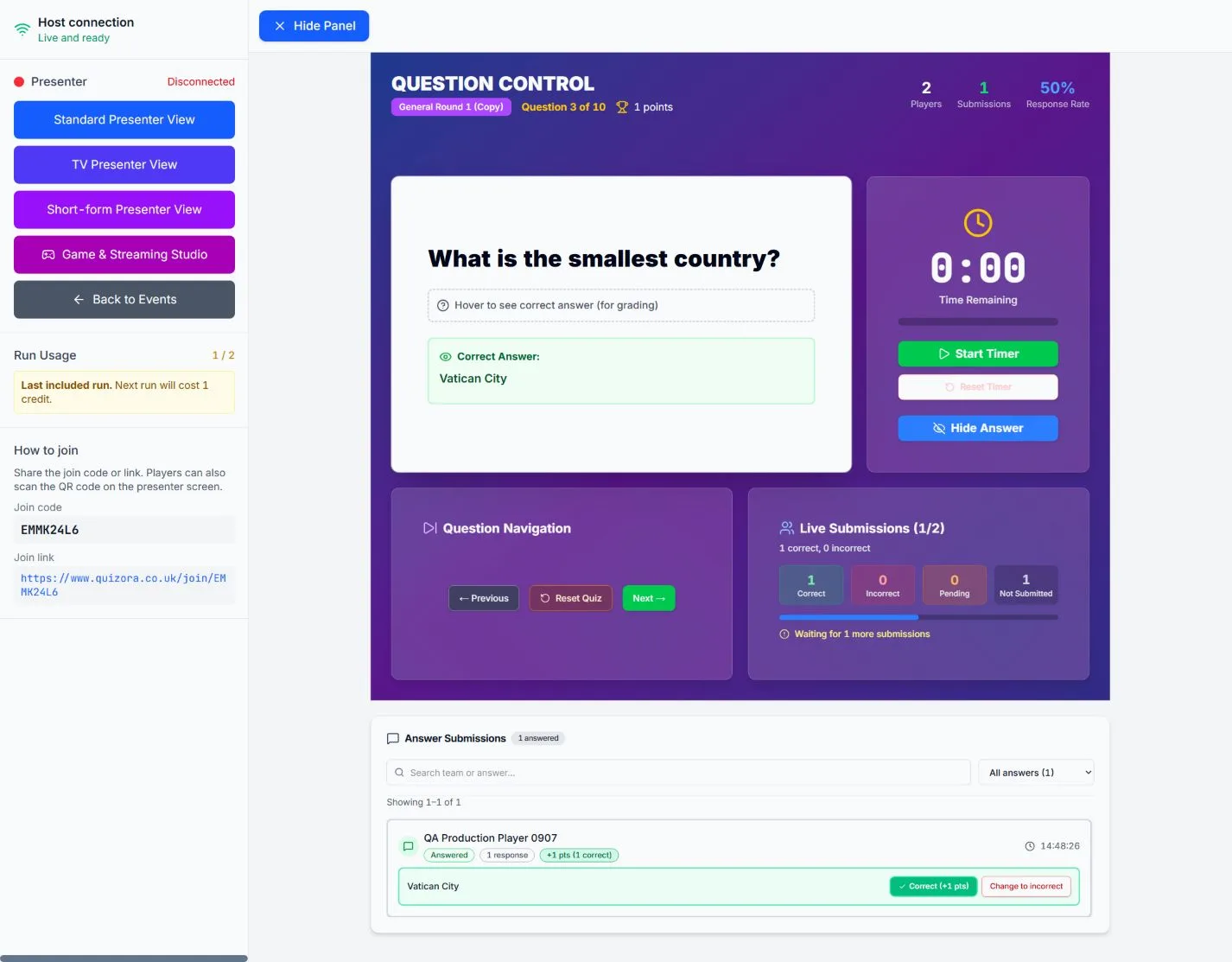
- Confirm Host connection is ready and Presenter is connected.
- Share the join code, link or QR code.
Run each question
Start the timer when the room is ready. Watch Correct, Incorrect, Pending and Not Submitted counts. Reveal the answer, review any manual or ambiguous submissions, then move to the next question only after marking is complete.
Finish and verify
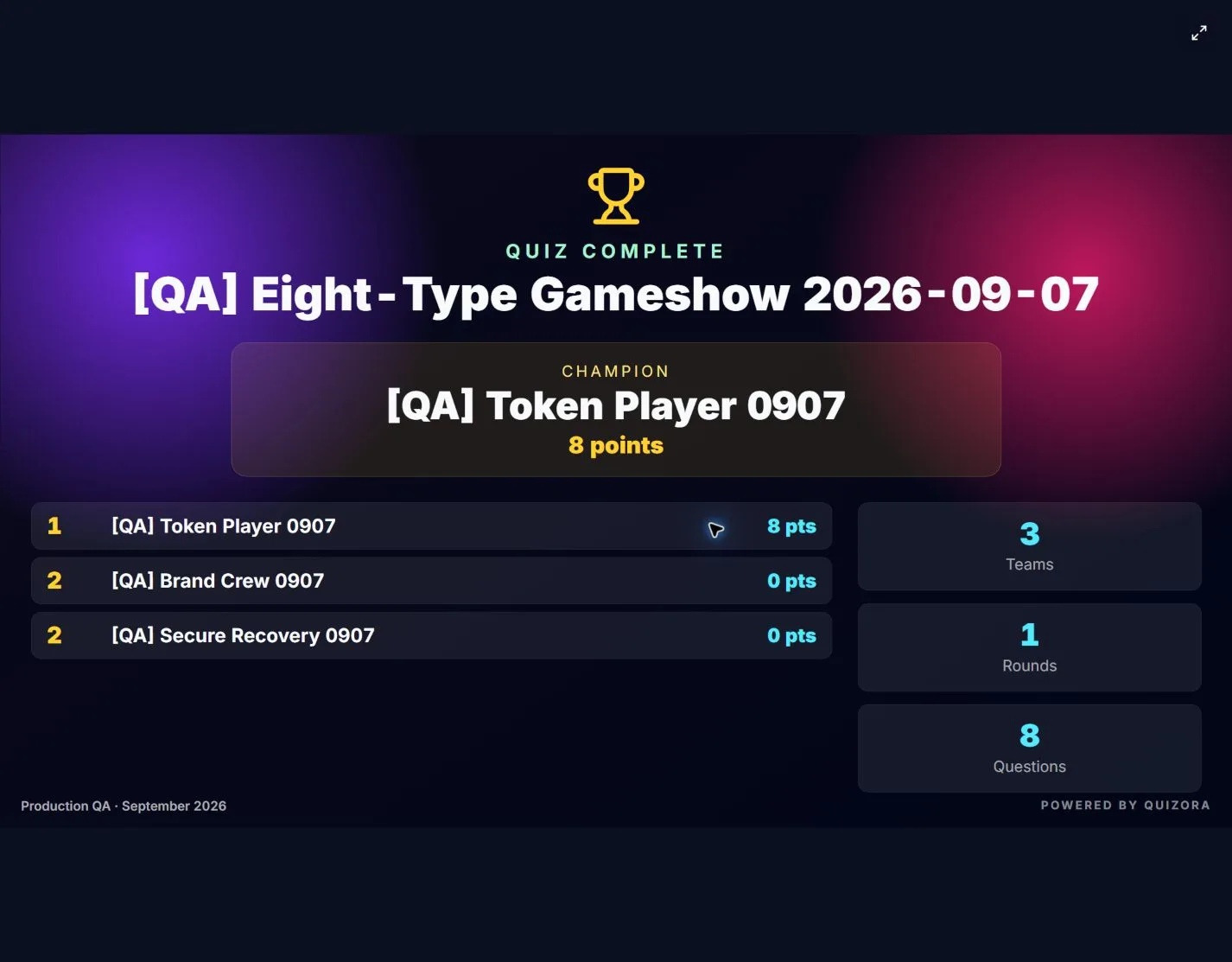
At the end, show the leaderboard and final results on the presenter display. Confirm the champion and tied positions before announcing any prize.
If something goes wrong
Pause the room before changing state. Reload only the affected player or presenter first; keep the host tab open. If a team cannot submit, record its answer and correct the mark from the host screen. See connection troubleshooting for recovery steps.